The BL602/BL604 is a Wi-Fi and Bluetooth Low Energy (BLE) dual chipset aimed at low-power and low-cost usage. It is a combination of a 2.4GHz Wi-Fi 802.11b/g/n and Bluetooth 5.0 radio and a very power-efficient 32-bit RISC CPU. The chip is optimal for small Internet of Things (IoT) devices where power efficiency and performance are required.
Other than the wireless subsystem, there is a microcontroller unit with a floating-point RISC CPU, memory access acceleration using the utilization of cache, and an integrated power management unit to manage various low-power modes. There is also security hardware like eFuse and optional encryption support present.
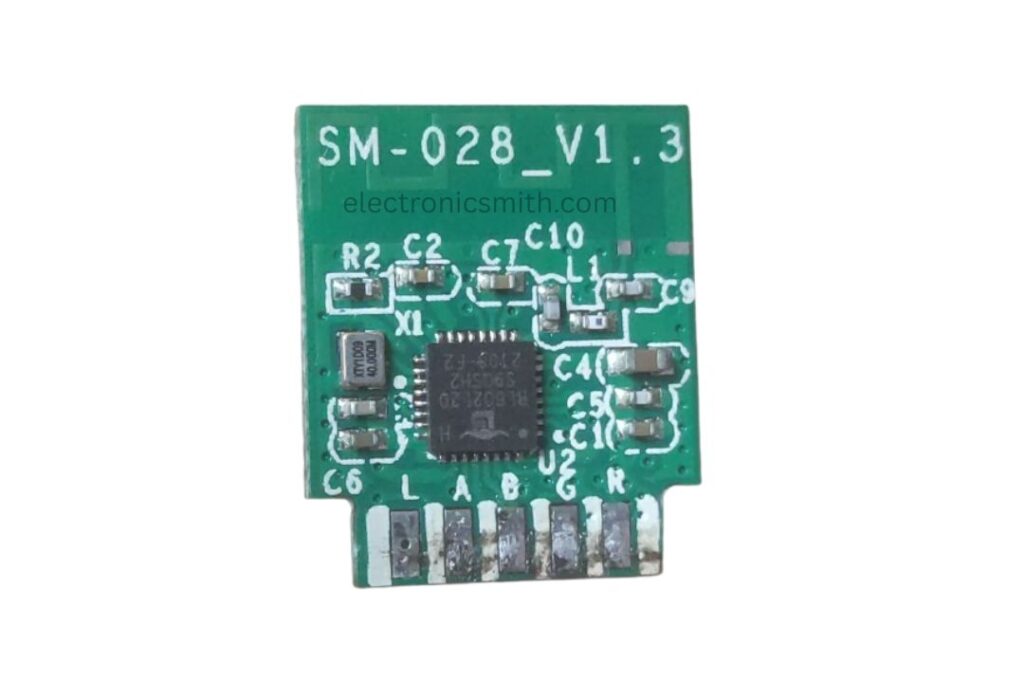
Key Features:
- 32-bit RISC CPU with Floating Point Unit (FPU)
- 276KB RAM
- 128KB ROM
- 1Kb eFuse
- Optional Embedded Flash
- Four DMA channels
Setting up NuttX Firmware
Before we actually start, make sure that the RISC-V GNU toolchain is properly installed.
For NSH
tools/configure.sh bl602evb:nsh
make
For WIFI
tools/configure.sh bl602evb:wifi
make
Flashing the Firmware
Dev Cube is Buffalo Lab’s official firmware flashing tool as well as an RF test tool. It supports downloading firmware, boot configuration changes, and even encryption and partitioning features.
Get the latest version from Buffalo Lab’s developer website.
Configuration Parameters:
Interface: Set to UART for flashing.
COM Port: Select appropriate COM port; use Refresh to rescan.
Baud Rate: 2 MHz is preferred.
Crystal Frequency (Xtal): Default is 40M. Use RC32M if no external crystal is available.
Chip Erase: False by default.
Other important configs:
Factory Params: Utilize DTS file for your chip model (default 40M).
Partition Table: Situated in partition/ directory, 2MB default.
Boot2 Bin: Used to set up security environment prior to main firmware execution.
Firmware Bin: Path to your compiled.bin firmware.
Romfs/Media: Select either ROMFS folder or media file.
MFG Bin: Manufacturing firmware.
AES Encrypt: Not required, but if so, enter a 32-character hex Key and IV. Last 8 chars of IV must be zero.
Single Download: Enables single-file flashing, start address required (e.g., 0x based).
For more on flashing, see BLFlashEnv — BL602 IoT SDK documentation.
Debugging with OpenOCD
You can debug with RISC-V GDB and OpenOCD.
Start OpenOCD:
openocd -f ~/bl_iot_sdk/tools/debug/if_bflb_link.cfg -f ~/bl_iot_sdk/tools/debug/tgt_602_xip.cfg
Start GDB:
riscv64-unknown-elf-gdb ~/nuttx/nuttx -x ~/bl_iot_sdk/tools/debug/602.init
Then in GDB:
target remote :3333
c
BL602 Peripheral Support
| Peripheral | Supported |
|---|---|
| GPIO | Yes |
| UART | Yes |
| SPI | Yes |
| I2C | Yes |
| DMA | Yes |
| Wi-Fi | Yes |
| SPI Flash | Yes |
| Timers | Yes |
| Watchdog | Yes |
| RTC | Yes |
| RNG | No |
| AES | No |
| eFuse | Yes |
| ADC | No |
| Bluetooth | No |
| LED_PWM | No |
| SHA | No |
| RSA | No |
Supported Development Boards
- bl602evb
Conclusion
The BL602/BL604 chipsets are low-power, efficient solutions suitable for IoT applications, with built-in Wi-Fi and BLE 5.0 support and a RISC-V core and a set of necessary peripherals. Though they do not have some advanced features such as RNG, ADC, and hardware cryptography, their good performance, open toolchain support, and simplicity of flashing and debugging make them an excellent option for developers creating connected embedded systems.